
Help Center
Short walkthroughs for every corner of TrustPager — pipelines, automations, scheduling, documents, AI features, voice and more. Watch the video or read the write-up. 231 tutorials, 22 with video.
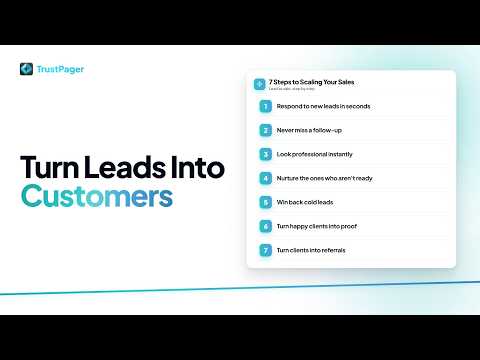
7 Ways to Turn More Leads Into Customers
An overview of seven ways TrustPager helps you convert more leads into customers, from instant lead response to referrals.
 2:00
2:00 Build Growth Systems with Claude
Talk to Claude about how your business runs, and it finds new ways to get more from TrustPager: improvements that fit your existing model and build on what you already do, then builds them for you in the same conversation.
 1:30
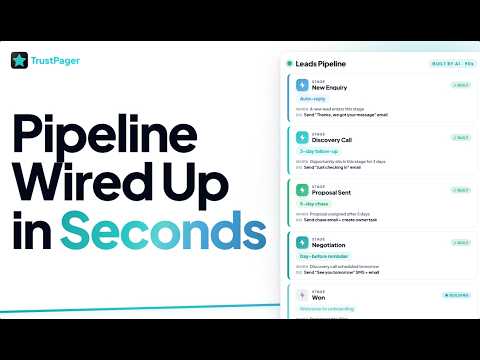
1:30 How to Build a Leads Pipeline with Claude
Watch Claude rename your pipeline stages and wire up four stage-level automations in 90 seconds — auto-reply, follow-up, proposal chase, and pre-call reminder.
 1:02
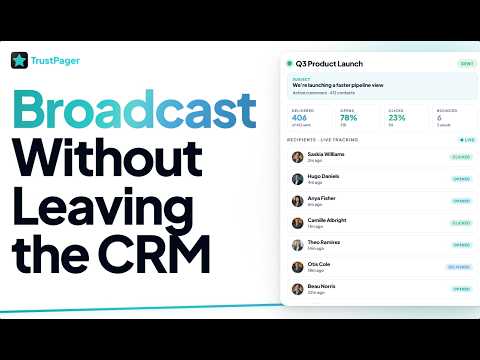
1:02 How to Create and Send Email Blasts
Create broadcast email blasts, build your audience, edit as text, raw HTML, or a locked design, schedule sends for later or hold them paused for sign-off, stop a send that is already going out, build a series from one blast, and track opens, clicks, and delivery per send.

How to Monitor AI Agents in Agent Hub
Agent Hub is your central view of every AI agent running in your workspace — real-time responders, voice agents, and scheduled agents — with live status, run history, and failure alerts.
 1:31
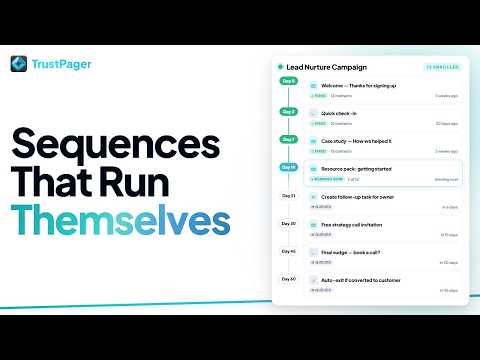
1:31 How to Set Up Auto Queues
Build timed, multi-step sequences in Auto Queues. Set the timing once, and every enrolled contact moves through on their own, with nobody ever getting the same queue twice.
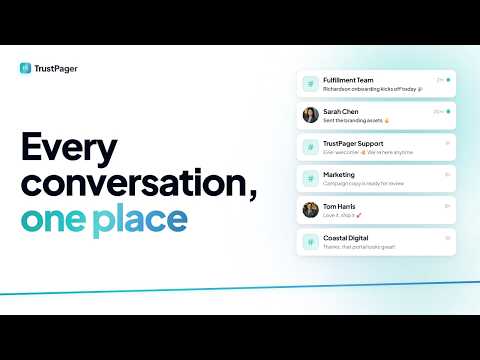
How to Use Chat in TrustPager
Use Chat for real-time team rooms, client conversations inside portals, direct messages, Evie your AI assistant, TrustPager support, and the wider community. Covers rooms, auto-provisioned DMs, invites, roles, mentions, attachments, and talking to Evie.
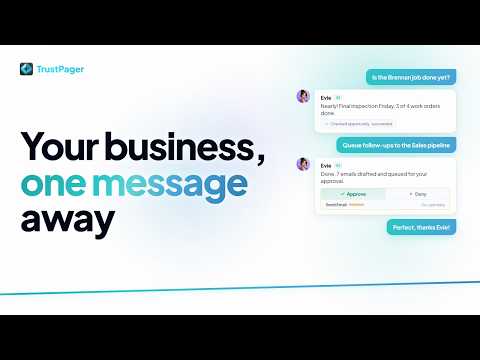
Meet Evie: Your AI Assistant in TrustPager
Evie is the AI assistant built into TrustPager Chat. Ask her about a job, get her to queue a follow-up or draft an email, and approve or deny anything she proposes before it ever sends.
 2:02
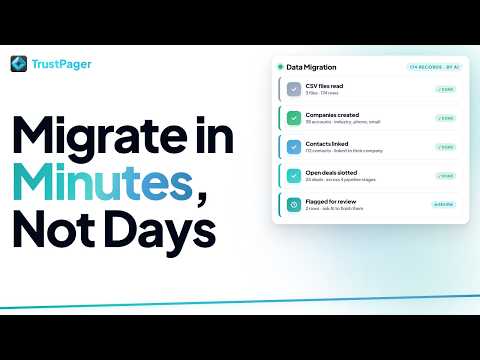
2:02 Migrate Your CRM Data into TrustPager with Claude
Bring your existing CRM data into TrustPager with AI. Drop in your CSV exports, let Claude lay out the plan in plain English, and watch every company, contact and opportunity land in the right place.
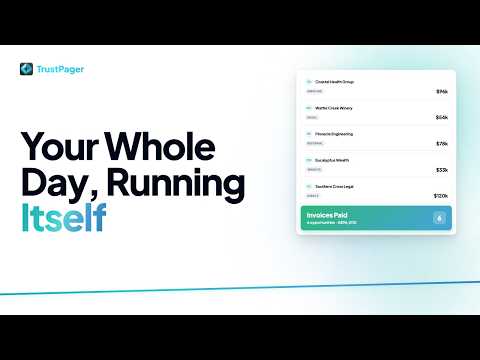
Your Whole Day, Running Itself: The Workflows Board
How the Workflows board runs your day automatically: switch between pipelines, respond to new leads in seconds, and watch opportunities move themselves through your stages.
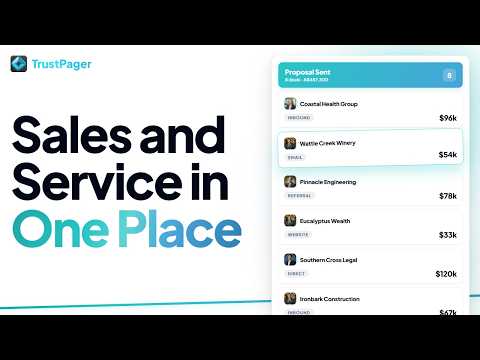
Manage your sales pipeline
How to use the Workflows board to move opportunities through stages, sort and filter your pipeline, and share filtered views with your team.
 1:34
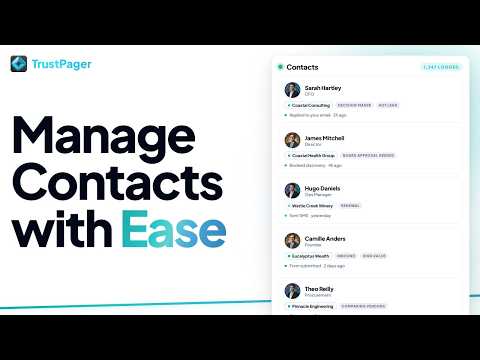
1:34 How to Manage Contacts
Store every contact in one place with full communication history, linked opportunities, and employer records.
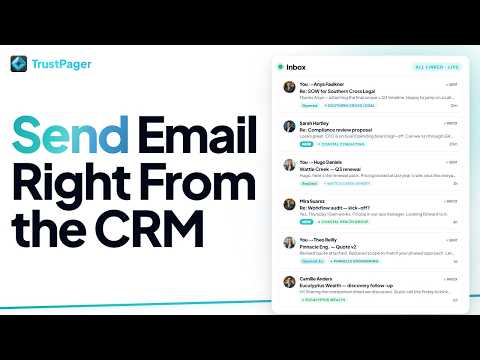
How to Send & Track Emails
Send one-off emails to contacts with open and click tracking, attach files, use templates, and schedule sends. All from within the CRM.
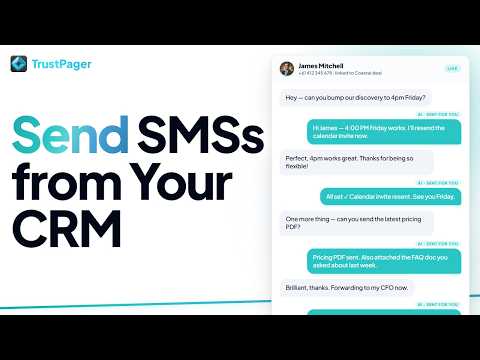
How to Send SMS Messages
Send one-off SMS messages to contacts, use templates, schedule sends, and manage opt-outs — all from within the CRM.
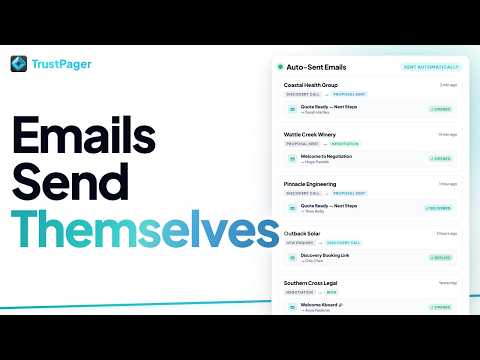
How to Send Automatic Emails When an Opportunity Changes Stage
Set up automations that fire when an opportunity moves between pipeline stages — emails, SMS, tasks, and more.
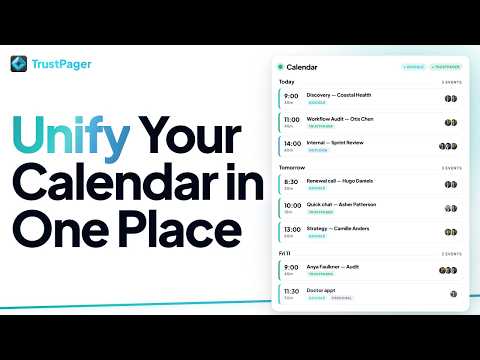
How to Sync Google Calendar with TrustPager CRM
Push TrustPager opportunities, tasks, and work orders to your Google Calendar so your schedule stays in one place.
 1:12
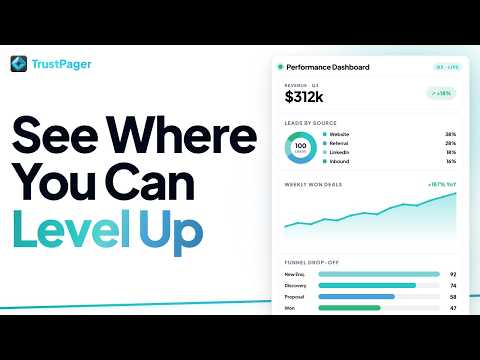
1:12 How to Build Reports & Dashboards
Create custom dashboards with pipeline funnels, revenue charts, and activity tracking.
 1:34
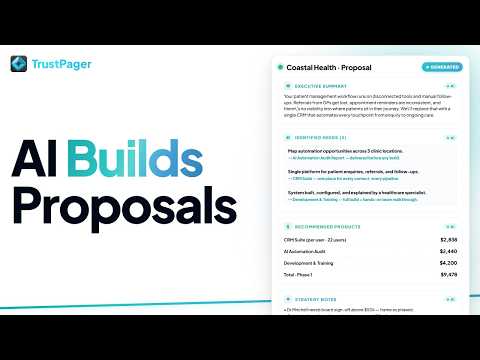
1:34 How to Run AI Needs Analysis on an Opportunity
Let AI read every note, call transcript, and email, then generate a full needs analysis with recommended products, deliverables, and a closing strategy.
 0:37
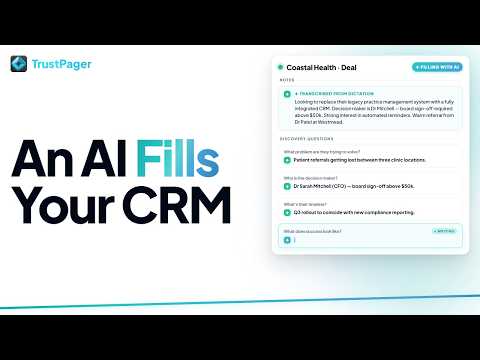
0:37 How to Auto-Fill Opportunity Fields with AI
Click Fill with AI to populate discovery questions and deal fields from your notes, calls, and emails automatically.
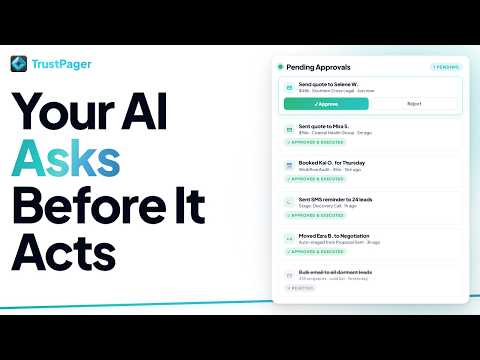
How to Review & Approve AI Agent Actions
When AI agents draft emails or take actions on your behalf, the approvals queue lets you review, edit, and approve before anything is sent. It now validates each action and flags sender or safety issues before you approve, plus a direct link to the conversation thread for context. Approval routing rules, including Mailbox Owner, decide who reviews each approval.
 1:32
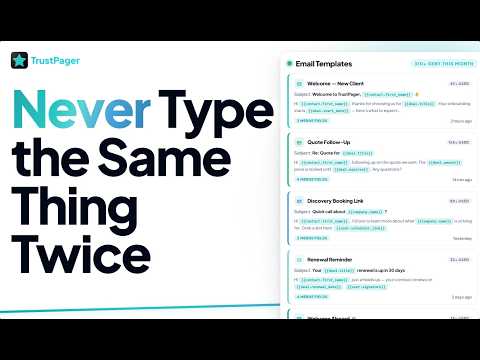
1:32 How to Use CRM Templates
Save time with reusable templates for emails, SMS and WhatsApp. Manage them all in one place, and use merge fields to personalise every message automatically.
 1:13
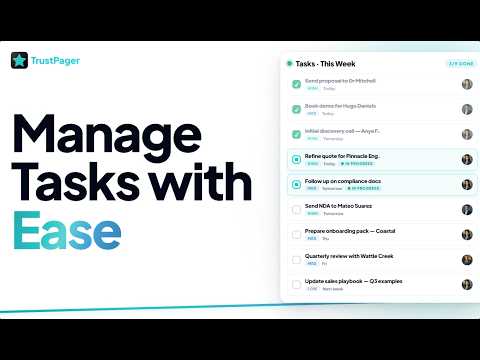
1:13 How to Manage Tasks
Create tasks on any opportunity, assign them, see who completed them, get a warning before moving a card past open tasks, and let automations add and close tasks for you.
Account Security & Two-Factor Authentication
Change your password, enable two-factor authentication, and review your active sessions to keep your TrustPager account secure.
Agent Memory — API and MCP Reference
How AI agents read and write persistent memory in TrustPager — the 6 MCP tools, REST path, field reference, upsert mechanic, tags, linked entities, and a worked NurtureAgent example.
AI Knowledge Bases
How to create and manage knowledge bases, add sources (Help Center articles, product catalog, URLs, files), attach them to voice and workflow agents, and keep them current with auto-resync.
Archiving Records to Keep Your Lists Fast
How to archive opportunities, contacts, and companies so your active lists stay focused, while keeping every record fully searchable, exportable, and instantly restorable.
Assign work to contractors and get job photos
Assign work orders and tasks to your contractors (stakeholders only, never a plain contact), and let them upload before-and-after job photos from their portal into Before and After buckets that land on the work order for your team.
Attach Documents, Files & Images to an Opportunity
How to attach PDFs, images, files, and spreadsheets to an opportunity from its detail page, including when to use each card and how signing flows connect.
Automate Outreach with Lead Gen Initiatives
How to build a multi-step outreach sequence, add email, SMS, and team-notification steps, enrol leads, add them to your CRM with consent, configure sending cadence, and understand how the dispatcher paces each step on your behalf.
Automatically Create Opportunities on a Schedule
How to use the Create Opportunity automation action to spawn new opportunities automatically — perfect for recurring workflows like weekly gig bookings, retainers, or any business with fixed recurring jobs.
Automation Activity Overview
Get a unified view of every automation, integration, and webhook event firing across your workspace — your one-stop activity feed.
Bill a Different Company on an Opportunity (Payer Companies)
How to add a payer company to an opportunity so invoices belonging to a separate billing party surface alongside the client's invoices.
Blocked Recipients: Why Email Stops Reaching Someone
Check whether an address is blocked, see why, and switch sending back on once their mailbox is working again.
Bot Protection for your website
Optional, off-by-default bot protection for your website's forms, bookings, and lead capture. Set it up per site, turn it on when your forms are ready, and see exactly which surfaces it covers.
Build an Automation in One Call
How to create a complete automation — trigger and actions — in a single API or MCP call instead of three separate requests.
Capture post-call analysis answers onto a CRM record
How to use a Call Analyzed automation to automatically write your voice agent's post-call analysis answers to contact, opportunity, or account fields.
Choose a Send-From Alias in Gmail Automations
Route each Gmail automation through a specific workspace alias — so nurture campaigns go out as advisor@ while transactional emails stay on support@.
Clearing the Setup Required Page
What the Setup Required page shows, why it appears in your sidebar, and how to clear each item, including integrations that need reconnecting.
Collect Information from Signers
How to use Signer Input fields, including checkbox lists, to collect information from signers as part of e-signing in TrustPager.
Commission Statements for Referral Partners
How commission statements work, how to build a statement template in the Document Builder, how to generate a statement on demand, and where partners download them from their portal.
Conditional Logic on Custom Fields
How to hide custom fields, make them required only when it matters, and auto-fill default values based on other fields. Manual edits are always protected.
Conditional Visibility and Validation Rules on Form Fields
How to control when a field appears (conditional visibility) and what values it accepts (validation rules) in the TrustPager form builder. Covers operators, cross-field comparisons with multiplier/divisor, custom error messages, and how the two features compose.
Connect a client's website to GitHub
For agencies: build your clients' sites in your own GitHub repos, check each push as a preview, publish it, and point the client's domain.
Connect Claude to TrustPager
Set up the TrustPager MCP connector in claude.ai so Claude can read and write your CRM data — contacts, opportunities, emails, tasks, automations, and more.
Connect Stripe and Take Payments on Invoices
Connect your own Stripe account to your TrustPager workspace, create invoices on opportunities, generate Stripe payment links, and let customers pay via the client portal or invoice email.
Connect your personal apps
How to link Gmail, Google Calendar, and other personal accounts to TrustPager — plus what happens when a connection breaks.
Connect Zapier to TrustPager
Set up bidirectional Zapier integration: trigger TrustPager automations from Zapier, and send TrustPager events out to your Zaps, using the native Zapier app.
Contractor onboarding: portal and agreement
Set up an onboarding pipeline that automatically issues a contractor their portal and sends a signable services agreement the moment they reach a stage, so bringing on a new subcontractor is one drag of a card.
Contractor portals
Give a contractor or subcontractor a private, branded jobs hub where they see the work assigned to them, keep its status up to date, upload photos, and sign your agreement, with no access to your CRM.
Convert a completed form response to PDF
How to use the Convert to PDF panel on a completed form submission to render and file the responses as a document.
Create Referral via Automation
Use the Attribute Referral action in an automation to link a new opportunity to an existing referrer automatically, without manual data entry.
Custom Script: Run Your Own Code as an Automation Action
Write or AI-generate JavaScript that runs as the final step of any automation, with access to the trigger data, the TrustPager API, outbound HTTP calls, and your own saved secrets. Invalid code is refused on save, and you can restore the last approved version in one click. For technical and fulfillment users comfortable with basic JavaScript.
Customer Feedback: Hear Every Customer and Follow Up the Unhappy Ones
Where customer feedback lands, how unhappy customers are flagged and sent to the right person, how to follow up and resolve feedback, and the Feedback settings.
Customize Your TrustPager Experience
Set your timezone, theme, default views, notification preferences and your personal workspace switcher order to make TrustPager fit how you work.
Delete or void a form submission
When to void vs delete a form submission, how to do each from the UI, what gets removed, and the optional PDF cleanup step.
Deliver clean page copies after signing with Split After Signing
Automatically generate a clean copy of selected pages from a signed document — no Certificate of Completion — and deliver it to the client portal or a specific email address the moment signing is complete.
Deploying a website
How to host a TrustPager website on its own domain: one-step create-and-deploy, deployment status, custom domain DNS records (www live site plus a path-preserving redirect from the bare domain), redirect domains that forward an old or secondary domain to the site, deleting the hosting repository, and adopting an existing site.
Download All Attachments as a ZIP
How to bulk-download all documents, files, or images attached to an opportunity — or any other record — as a single ZIP file.
Duplicate Send Guard: stop the same text or email going twice
How TrustPager stops your automations sending the same SMS or email to the same person twice when a lead arrives more than once, and how to change or switch off the guard.
Editing a website with AI
How to use the AI editor's Chat and History tabs to describe changes in plain English, review a live preview and diff, approve to go live, and publish any past version.
Email a dashboard as a Report Digest
Three ways to email a reporting dashboard as a digest — the Send Report button, the send_report_email automation action, and the inline {{report:UUID}} token.
Email Opt-Out Handling
How to record and enforce email opt-outs for contacts, including campaign suppression and unsubscribe link behaviour.
Email Send API: Entity Validation and Error Codes
How POST /v1/email/send validates entity IDs, what each error code means, and the three valid payload shapes for linking an email to a contact, opportunity, or company.
Export form submissions
How to download your form submission data as a CSV file from TrustPager.
Form Invitation Delivery Failures
What to do when a form invitation email fails to deliver — causes, statuses, and how to resend. Includes a note on managing forms attached to an opportunity.
Format Emails in TrustPager Mail
Use the rich-text editor to add headings, bold text, bullet lists, links, buttons, images, and more to any email sent through TrustPager Mail — in automations, birthday messages, and booking notifications.
Get Names Right in Call Transcripts
Teach transcription your business name, staff names and industry terms so they stop being swapped for similar-sounding words. Set your workspace vocabulary at https://app.trustpager.com/settings/inbox, and turn on Enhanced name accuracy when you need a full multi-word business name to come through correctly.
Group Line Items with Product Buckets
How to create product buckets on an opportunity to group your line items by room, area, or category — with per-bucket subtotals on the products card, invoices, and estimate PDFs.
Hold Space to pan and scroll any page
Hold Space and drag with your mouse to pan any TrustPager page, or use Space + scroll wheel to scroll horizontally without a horizontal scrollbar.
How AI credits work
What TrustPager AI credits are, how different features charge them (token-based vs flat-rate), typical credit costs by feature, how to top up on demand, and how to set up auto top-up and low-credit warnings so your workspace never runs dry.
How an Opportunity's Value Is Calculated (Auto and Manual)
How TrustPager works out an opportunity's value from its products, how to set it by hand instead, and how opportunities created by automations and forms keep the value they were given.
How form submissions are archived as PDFs
An overview of the two ways TrustPager can turn a completed form response into a PDF document filed in your Documents library.
How Stage Automations Work with Move Deal Actions
Why stage automations do not fire when a Move Deal action moves an opportunity, when they do fire (board drags, connected workflows, the opportunity page, the API and Claude), and how to wire the logic you need into your automation chain.
How the Stage Move Window Works, and How to Skip What Does Not Apply
Moving an opportunity into a stage opens a window with every automation on that stage already switched on. Untick a whole automation, or just one of its actions, when it does not apply to this particular card.
How to Access Platform Training
An overview of the Training section in TrustPager — what each area covers and how to use it to onboard team members and learn the platform.
How to Add Company Logos to Reviews
Upload a company logo to any review so it appears alongside the reviewer's name and role on your public reputation page.
How to Add PDF, Image & File Cards to Your Playbooks
Pin PDFs, images, and files directly to a Playbook so your process docs and reference materials live alongside your other training content.
How to Add Report Cards to a Dashboard
Add, configure, resize, and remove individual report cards on your TrustPager dashboards — covering all card types, data sources, filters, rolling date windows like {{today-28}}, and visualisation options.
How to Attach Files to Automation Emails
How to add file attachments to automated email actions in TrustPager Mail and Gmail automation wizards.
How to Automate Outbound Voice Calls
How to use the Outbound Voice Call automation action to have your AI voice agent dial contacts automatically — with multi-channel follow-ups if the call isn't answered.
How to Build a Voice Agent Script
How to use the visual flow editor to build conversation flows — nodes, edges, the Global Prompt, custom tools, global nodes, and publishing.
How to Build a Website with TrustPager
Build and publish professional websites from inside TrustPager. Includes AI generation, 100+ section types, custom domains, SEO, CRM-connected forms, and blog and content sections powered by public Notepads folders.
How to Build Case Studies
How to create and publish long-form customer success stories in TrustPager: client details, problem/solution/outcome narrative, key metrics, and publishing to your public reputation page.
How to Build Custom Reporting Dashboards
A step-by-step guide to creating dashboards from scratch: adding cards, configuring data sources, setting filters, choosing chart types, and sharing with your team.
How to Build Playbooks
How to create and manage Playbooks, the visual knowledge boards where you pin videos, PDFs, notes, and links for your team.
How to Buy a Phone Number
How to purchase and set up a TrustPager phone number, including business identity verification, regulatory bundles, choosing how incoming calls are handled (AI voice agent, forwarding, or answering in the browser), the When no one answers fallback (which covers both business-hours and After Hours calls), After Hours scheduling, outbound calling for voice agents, and controlling which team members can dial out from the number using Call from TrustPager. Also covers buying United States numbers and registering a US number for SMS (A2P 10DLC).
How to Clone and Manage AI Voices
Your voice library at https://app.trustpager.com/tools/voices — browse platform voices, save your own, generate AI speech, and manage your recordings.
How to Collect and Publish Customer Reviews
Request reviews from contacts, capture a star rating and testimonial, approve the content, and publish it to your public reputation page.
How to Configure CRM Settings
Walk through every section of CRM Settings — lead sources, lost/won reasons, opportunity types, quick links, custom fields, card display (card face and card popout), detail page layout, and more.
How to Configure Inbox Settings
Set workspace-wide defaults for your email, SMS, and voice agent inbox — read receipts, auto-reply, signatures, and notification routing.
How to Configure Outbound Calling for Voice Agents
How to set up caller ID, country restrictions, rate limits, and auto-create opportunities for outbound voice agent calls.
How to Configure Report Funnels
Set up funnel reports to visualise opportunity conversion through your pipeline stages, identify drop-off points, and track conversion rates between steps.
How to Connect DocuSign
Connect your DocuSign account to TrustPager to send documents for electronic signature through DocuSign, track envelope status in the CRM, and automatically create opportunities when agreements are signed.
How to Connect Google Calendar
Connect your Google account so TrustPager bookings appear in your calendar, busy times block your availability, and cancellations remove events automatically.
How to Connect Slack
Connect your Slack workspace to TrustPager and post CRM events — new opportunities, stage changes, won deals — to any Slack channel via automations.
How to Connect Stripe for Website Payments
How to activate Stripe on a TrustPager website to collect payments, auto-create CRM opportunities, and track checkout sessions. For invoice-based payments, see the Stripe Connect article.
How to Connect Your Gmail Inbox (Including Team Inboxes)
Connect one or more Gmail accounts to TrustPager so inbound email lands in your workspace inbox. Assign each address to a workspace, share a team inbox across users, and keep TrustPager in sync with Gmail's read status automatically.
How to Connect Your WhatsApp to TrustPager
How to pair your WhatsApp account with TrustPager using the QR scan flow, enable workspace sharing, and understand what stays private on your phone.
How to Create a Voice Agent
Step-by-step guide to creating a new AI voice agent in TrustPager — picking a voice, building the conversation flow, attaching a phone number, and publishing live.
How to Create and Manage API Keys
Create API keys, set scopes, manage rate limits, revoke or rotate keys, and configure approval scopes for AI agents.
How to Create and Send Invoices via Xero
Send full payment, deposit, final balance, or recurring invoices to Xero from an opportunity. Covers custom line items, Xero Repeating Invoices, schedule options, Mark as Paid, and payment status sync.
How to Edit OAuth Client Scopes
Customise what a connected integration like Claude.com is allowed to do. Set per-scope tiers, hide an integration's admin powers behind approval, and revoke individual user tokens.
How to Embed Reputation on Your Website
Add a reputation badge or testimonial carousel to any external website using embed snippets from your TrustPager company profile.
How to Find Leads with Lead Gen Prospector
How to search for businesses by industry and location, filter results, save searches, and add leads to your CRM as contacts, accounts, and opportunities.
How to Generate AI Images
How to use the Images tool to generate professional AI images, edit them with reference, upscale them, and produce web-optimised variants, all from one workflow at https://app.trustpager.com/content/images.
How to Generate AI Music
Generate custom music tracks for marketing content, video backgrounds, and brand jingles using the AI Music tool at https://app.trustpager.com/tools/music.
How to Generate AI Whiteboards
Create visual diagrams and strategy maps in TrustPager using built-in templates or an AI prompt, no design skills needed.
How to Get Notified When Automations Fail
Configure email and SMS recipients to get told the moment an automation action fails, a Custom Script fails or never finishes, or a scheduled report does not go out. No more silent failures dropping client emails for days.
How to Let Your Voice Agent Book Appointments
Wire TrustPager's scheduling API into your voice agent so callers can check availability and book a time without any human involvement.
How to Link Training to Workflows
Link a training resource to a workflow so your team can access it directly from the pipeline board.
How to Manage Accounts (Companies)
How to create, edit, and link accounts (organisations) in the CRM: connect contacts, track opportunities, and build a complete picture of every business relationship.
How to Manage Files
Store, organise, tag, and share files across your workspace.
How to Manage Integrations
Connect, reconnect and remove the tools your workspace uses, like Stripe, Xero, Slack and Zoom, and what to do when a connection needs reconnecting.
How to Manage Opportunities
Use the Opportunities list at https://app.trustpager.com/crm/opportunities to view, filter, create, and bulk-action every opportunity across all your workflows in one place.
How to Manage Your Notification Settings
Use the notifications bell to see everything needing your attention in one place, and control which desktop popups and sounds you receive. Settings are personal and never affect your teammates.
How to Manage Your Personal Profile
Update your name, photo, contact details and the email you sign in with.
How to Manage Your Product Catalog
Build your product catalog (services, packages, recurring fees) and use it across opportunities, order forms, invoices and quotes.
How to Open and Save Email Attachments in the Inbox
Open files that arrive on an email, save them by hand, or let an automation file client attachments onto the right opportunity for you.
How to Record Meetings with TrustPager Notetaker
Automatically record Google Meet calls and get transcripts straight into your CRM, linked to the booking, opportunity, and contact. Covers Notetaker settings including wait time for late joiners, status badges, and how to delete a transcript.
How to Review AI Agent Performance Reports
See every scheduled AI agent run at a glance — pass/fail status, output summaries, duration, and the full report — at https://app.trustpager.com/auto/agent-reports.
How to Review Phone Call Transcripts
View every human-to-human phone call in one place, grouped by contact or number, with full transcripts, recording playback, and AI call coaching at https://app.trustpager.com/inbox/phone-calls. Covers the new in-call recording consent step, inbound browser softphone recording, and how to delete a transcript and recording.
How to Review Voice Calls and Transcripts
View every AI voice agent call in one place (full transcripts, recordings, sentiment, cost breakdown, and CRM links) at https://app.trustpager.com/inbox/voice-agents.
How to Schedule Email, SMS and Staff Alerts
Hold a send until a specific time, after a delay, or until business hours, from the contact record or from any sending action in the automation builder. Covers the two sets of hours a workspace keeps: when we may contact your customers, and an optional separate set for when we may alert your own team.
How to set up a client or partner portal
Create branded, scoped client and partner portals at portal.trustpager.com: design a template, set a default team so the same internal staff join every portal automatically, share records, invite members with a branded email, preview from any opportunity or contact, and set up referral partner portals from the referral system. Also covers client activity alerts (chat messages, uploads and notes) and the portal chat room.
How to Set Up Agent Alert Rules
Create alert rules that notify you when AI agents hit consecutive failures, duration limits, missed runs, or error rate thresholds — via email, Slack, or in-platform.
How to Set Up AI Auto-Responders for Email and SMS
How to turn on AI Auto-Responders in Agent Hub, choose draft-for-review or send-automatically, decide what to respond to by message type, ground replies in your knowledge bases and customer records, give the AI tools to act on demand, and see what gets routed to a human instead.
How to Set Up Auto Schedules
Run an automation on a recurring clock schedule (daily, weekly, monthly) against a bounded Source: a Report that emails a count and a list, opportunities in a workflow stage, records with a date coming up, staff members, a stakeholder group, an external JSON feed, or fixed values.
How to Set Up Booking Confirmation Notifications
How to configure the automatic confirmation email and scheduled reminders that fire when someone books a meeting through your scheduling links, including who each notification actually reaches.
How to Set Up Email Settings
Configure multiple sending addresses, signatures, per-address permissions, verified custom domains, where replies go, branding, and optional Gmail routing for TrustPager Mail.
How to Set Up Inbound Call Forwarding for a Voice Agent
Send inbound calls to a real person during set hours instead of the AI voice agent, with day, time, timezone and forward-to number controls.
How to Set Up Recurring Meeting Types
Create a meeting type that repeats on a fixed schedule (weekly standup, monthly review, quarterly board meeting) using one recurring Google Calendar event. Covers picking several days a week (for example Wednesday, Thursday and Friday at 10am), how to schedule, reschedule, and cancel the series, and how to view your internal meetings on the Scheduling page.
How to Set Up Round-Robin Lead Routing
How to automatically distribute incoming leads and opportunities across team members in TrustPager using automation triggers, conditions, and the Assign Deal Owner action, including how to add co-owners alongside the primary owner.
How to Set Up Your Company Profile and Branding
Configure your company name, logo, brand colours, workspace colour, address, ABN, timezone, and other details that flow through to emails, forms, documents, signing pages, and the CRM itself.
How to Set Up Your Tag Palette
Define a shared set of colour-coded tags for your workspace so your team can label opportunities, contacts, and customers consistently.
How to Track Document Signing Status
See every document envelope you've sent for signing, who's signed and who hasn't, and resend reminders or void envelopes as needed.
How to Triage Automation Errors
Use the Errors page to quickly find every failing automation, group by root cause, retry runs, and clear issues from your workspace.
How to Use Follow Ups
Manage every queued email, SMS and voice call (including multi-step voice follow-up cadences) and review the full dispatch history from one place in your inbox.
How to Use Incoming Webhooks to Trigger Automations
How to create an incoming webhook URL in TrustPager, configure optional authentication, and connect external systems (forms, Zapier, Make, or custom apps) to trigger automations automatically.
How to Use Outgoing Webhooks
Set up outgoing webhooks to push TrustPager events — opportunity updates, contact creation, form submissions, and more — to any external endpoint in real time.
How to Use the CRM Calendar
See all your scheduled events, bookings, tasks, and opportunity reminders in one place. Switch between day, week, fortnight, and month views, see how long each appointment runs, filter by team member or event type, and click anything to edit it.
How to Use the Images Library
Manage your public media library — branded images for websites, social, marketing — with optimised variants ready for any device.
How to Use the Inbox Dispatcher
See every email, SMS and voice call queued to send, and review the full dispatch history, from one place in your inbox.
How to Use the Next Action Card on Opportunities
Keep every opportunity moving with the Next Action card. Set a reminder or generate a Google Meet link directly from the opportunity sidebar.
How to Use the TrustPager REST API
Authenticate, manage API keys, choose scopes, and start reading and writing CRM data programmatically. Includes available resources and endpoint patterns.
Lead source leaderboard
See total leads and the win/loss split per lead source at a glance, drill into any source for a full opportunity list, keep attribution clean by setting the lead source field on every new opportunity, and exclude internal or non-lead workflows from the board entirely.
Manage Team Members
Invite users, update roles, see when each person last signed in, remove members, and how agency support works.
Manage your booking (reschedule, cancel, or update your details)
How to reschedule, cancel, add to your calendar, or fix a typo in your name or phone number using your booking confirmation link.
Merge Duplicate Opportunities
How to combine duplicate opportunities in TrustPager without losing any related records — activities, tasks, bookings, documents, form submissions, signing envelopes, and more.
Monitoring Auto Queue Tasks
Inspect every queued automation task — multi-step Auto Queue progressions, scheduled communications, and timed follow-ups.
Notify Your Team in Chat from an Automation
Post a message into any TrustPager Chat room automatically — no integration required. Alert your team the moment a new lead arrives, a deal moves stage, or a booking is confirmed.
Organising Automations with Folders and Types
Use folders to group your automations and the type buckets to filter by primitive (Automations, CRM Workflows, Auto Queues, and Auto Schedules), all from the Automations page.
Place Signing Fields on an Uploaded PDF
How to upload a third-party PDF (like a lender form or application) and place e-signature fields directly on it so clients sign on the document itself — no DocuSign required.
Plans & Billing
TrustPager plans, what's included on Free vs Pro, the 14-day Pro trial, seats (including free seats), credits, cancelling and reactivating your subscription, and phone number recurring charges.
Product components and samples
How to add components to a product in your catalog, and how to attach samples to a product line item on an opportunity.
Publish a form to your website
How to make a TrustPager form public, embed it on your website, generate pre-filled links, and understand how public form submissions create or match contacts and opportunities.
Querying Xero Financial Data via the TrustPager API & MCP
Every Xero query type available in TrustPager - contacts, invoices, P&L, Balance Sheet, aged receivables and payables - with parameters, examples, and troubleshooting.
Quick Links: Add Shortcuts to Any Record
How to set up Quick Link types in CRM Settings so your team can pin a named URL (Google Drive, Notion, Jira, etc.) to every opportunity and company record.
Reading Automation Execution Logs
Inspect every automation run — which actions ran, which were skipped, what failed, and why — from the automation logs page.
Reading DocuSign Envelope Logs
Track every document signing envelope sent through DocuSign — recipient status, completion timing, voids, and downstream automation triggers.
Reading Email Delivery Logs
Track every email your workspace has sent through automations, campaigns, manual sends, and form replies, with delivery status and failure reasons.
Reading Integration Logs
See every call your integrations made to external services — Stripe, Xero, Slack, Google, and more — to verify and debug data flow.
Reading Order Form Submission Logs
Review every order form submission, payment outcome, and downstream automation result for your e-commerce workflows.
Reading Stripe Payment Logs
Review every Stripe charge, refund, dispute, and subscription event for your workspace, with direct links to Stripe records.
Reading Webhook Logs
See every webhook your workspace has received and sent — incoming triggers from external systems and outgoing notifications to them.
Reading Website Form Submission Logs
See every form submission and website event that fired into your workspace — leads captured, intake forms completed, contact requests received.
Reading Workflow Trigger Logs
See every workflow trigger that fired across your CRM — stage changes, field updates, opportunity creations — and use the log to debug automation runs.
Running your clients as a TrustPager agency
For agency staff: the three staff roles, the Overview, your clients and each client's page, quoting a client, starting a client from a template, websites and the site page, templates, service requests, commission, commission for your team, payout details and the agency API key.
Save and Reuse Timeline Templates on Opportunities
How to save your delivery phases as a reusable Timeline template, load a saved template onto any opportunity, and manage your template library — all from the Timeline card.
Scopes — the guardrails that govern your agents
Decide what your AI agents can do in TrustPager — and what they can’t do without your approval. Sliders, approvals, and Save Changes explained.
Searching service requests with semantic search
How to use the POST /v1/service-requests/search endpoint to find service requests by meaning, not just exact keywords.
Send to Multiple Contacts from an Opportunity
How default recipients work across email, SMS, forms, signing, and work order modals on an opportunity — and what to expect when multiple contacts are involved. Includes shared forms for co-applicants.
Sending WhatsApp Messages from a Deal or Contact
How to send WhatsApp messages from the deal sidebar, the contact page, the WhatsApp inbox, and via automations.
Sensitive Fields: Store Tax File Numbers and ID Numbers Safely
Mark a custom field or form field as Sensitive so tax file numbers, licence numbers and bank details are stored encrypted, shown masked everywhere, and revealed only by roles you choose, with every reveal logged.
Set a CRM field automatically
How to use the Set CRM Field action and the CRM Integration data mapping (OFF, WRITE, OVERWRITE, FALLBACK) to write data to opportunity, contact, or account records when something happens in your pipeline.
Set Up a Team WhatsApp Number for Your Workspace
Designate one connected WhatsApp number as the workspace's shared team number so all outbound messages and automations go from one place.
Set up and manage your ecommerce store
How to create a store, add products to your catalog, manage orders, keep each order's fulfilment status in step with your pipeline automatically, charge postage, sell and tax correctly overseas, ask the buyer a question they must answer before they can buy, connect Stripe to take live payments, and let buyers pay in instalments.
Set up automatic PDF archiving for a form
Configure the Submission PDFs settings in the form builder so completed responses are saved as PDFs in your Documents library, and optionally sent out with the notification email for people who have no login.
Set Your Default Pipeline
Choose which pipeline opens by default when you access the CRM, overriding the company-wide default.
Set Your Personal Timezone
Override the workspace timezone with your own so timestamps, calendar events, and date displays in TrustPager always reflect your local time.
Share a Gmail Sending Address with Your Workspace
Assign one of your Gmail addresses to a workspace so it can send as that address, then have an admin pick it as the team's outgoing email address.
SMS Opt-Out Handling
How to record and enforce SMS opt-outs for contacts, including STOP reply handling and automation suppression.
Stakeholders and contractors
Manage the external people who help deliver your work — contractors, subcontractors, VAs and other partners — as a first-class group, with reusable types, portal access, work assignment and commissions.
Standalone Spreadsheets
Create spreadsheets from templates, import data via CSV or PDF (with optional auto-merge for contiguous rows), attach them to opportunities, and let clients populate them directly via a form field.
Tag opportunities automatically from call transcripts
Use the Tag From Call Transcript automation action to tag an opportunity based on what was said on a recorded call, with a safe Suggest only mode.
Take Pay-Any-Amount Payments with a Stripe Payment Link
Let clients pay the amount on their invoice from a Pay Now page, with an invoice number, through your connected Stripe account, and log each payment in TrustPager with an automation.
Template Tokens — Names, Dates, and CRM Variables
How to use {{contact.greeting}}, {{today}}, {{now}}, and other template tokens across automations, emails, PDFs, and more.
The Operations Invoices List
Your workspace-wide view of every invoice: accounting-synced, Stripe, and manual. Covers creating an invoice from the list, the manage modal (now including manually tracked invoices), syncing from your accounting integration, relinking invoices to opportunities and contacts, search, and status filters including Recurring.
Track and Manage Referrals
Use the Referrals tool to see your top referrers, browse every referral, filter by category, manage individual referrals, track commission, and give each referrer a public referral link plus a branded partner portal.
Track Payment Status on Opportunity Products
Every product line on an opportunity has a payment status — Unpaid, Deposit Invoiced, Invoiced, or Paid. Works for any business, with or without an accounting integration.
Track stock and inventory for a product
How to enable inventory tracking on a product, record stock levels, and understand what the Stock and Inventory card shows on the product detail page.
Trigger Automations via the API & MCP
How to fire a TrustPager automation from an external system or AI agent using the REST API or MCP server, including how to discover trigger schemas.
Trigger Schema Reference
How to discover what fields each automation trigger type expects, using the schema API endpoints and MCP tools, with example payloads for common trigger types.
TrustPager's Forever Free Tools
A complete list of the tools and features you get on the TrustPager Free plan — yours forever, no credit card, no time limit, and no seat cap.
Turn a paid order into a packing slip
Collect the buyer's delivery address at checkout, then build an Order Paid automation that emails whoever packs the order exactly what to pack and where to post it.
Understanding Agent Memory
Agent Memory is the shared brain your AI agents use to remember what they have learned. Browse, filter, and curate memories across contacts, opportunities, and companies from one central page.
Understanding and editing your scheduled agent
How to read the configuration sidebar on a scheduled agent's detail page, trigger a manual test run, and use the settings editor to update its kickoff prompt, schedule, persona, tools, and model.
Understanding the connection health indicator
What the red pulsing button and avatar warning mean, and how to fix a disconnected integration.
Understanding the Service Request Lifecycle
How service requests are processed after submission: statuses explained, how notes work, and how to check where your request is up to.
Undo & Redo: Edit History for Automations, Documents, and Forms
See who changed what and when across your automations, document templates, and form templates, and revert any change with one click.
Use AI to generate documents
How to use TrustPager AI to draft proposals, agreements, and other documents directly from an opportunity.
Using the SEO Studio
How to use every SEO Studio tool in TrustPager — keyword research, competitor gap, rank tracking, site audit, AI visibility, and more. Results open as full detail pages with plain-English guidance and a how-to-fix callout.
Using WhatsApp Groups with Deals
How WhatsApp groups appear in TrustPager, how to link a group to a deal, where group messages show up, and how to unlink.
Viewing the CRM Audit Log
How to use the CRM audit log to see a full history of field changes on your opportunities, contacts, and customers.
Voice Agent Settings Reference
A reference for every setting on the Voice Agent detail page: model, voice, Flex Mode, data storage, fallback voices, the agent Role (Appointment Setter), post-call briefings, new caller contacts and more.
WhatsApp Opt-Out Handling
How the WhatsApp opt-out flag works on a contact, what it cancels, and how to remove it if a contact opts back in.
Who appears as the sender on platform-sent emails and notifications
Why your workspace primary owner appears as the sender on platform-generated emails, how that is set, and what to do if the name looks wrong.
Why Claude says “No approval received” on a TrustPager action
What the “No approval received” error means when a TrustPager tool call fails in Claude, and the one-step fix.
Why your workspace email uses mail.trustpager.net
Why TrustPager workspace emails use mail.trustpager.net and how to send from your own verified domain instead.
Work orders
How to add work orders to an opportunity, assign multiple crew members, view your whole pipeline on the Work Orders page, create and update work orders automatically via automations (with a skip-if-exists option to avoid duplicates), and keep a live checklist ticking itself off in the client portal, and email the trades on an opportunity's work orders from an automation.
Workspace Spreadsheet — API and MCP reference
REST endpoints, MCP tools, API scopes, filter syntax, saved views, per-view sort, and dropdown option colours for the Workspace Spreadsheet. For developers and AI agents building automations against TrustPager export templates.
Workspace Spreadsheet — your CRM data as a live grid
Create reusable export templates that pull data from any CRM entity into a live spreadsheet grid. Formerly known as the Export Builder. Includes custom field columns, CSV import, joined columns, filters (unified four-operator vocabulary for all reference fields, Tags picker from workspace palette), saved views, per-view sort, column totals, Refresh button, relative date filters, and API access.
How to Build & Trigger Automations
Walk through the automation builder: set triggers, add actions, control which automation runs first when several listen to the same event, and let the platform handle your repetitive tasks.
Build Proposals & Documents
How to create proposals, quotes, and documents inside TrustPager, from scratch or using a template, including headers, footers, page numbers and names stored in capitals, and emailing them automatically in your own email design.
How to Send Documents for E-Signing
Send any document for electronic signature by email, inside a client or partner portal, or through one shared link you can put on your website. The signed copy is stored automatically.
How to Build & Send Forms
Build forms visually, send them to clients, and have every response flow back into your CRM when it is submitted. Covers field types, public vs private modes, CRM Variable Injection, linking a company and a second person (including when that person is the main contact), shared forms, and submission automations. Also covers starting fresh when a form is sent again, and Sensitive answers.
How to Set Up Online Booking & Scheduling
Let clients book time with you through a scheduling page. Give any event type its own availability hours, set cancellation and booking limits, sync every booking to your calendar and CRM, and automate what happens next.
Monitoring Your AI Agents: Overview
Where to find every AI agent monitoring surface in TrustPager: Agent Hub, Alerts, and Performance Reports.
How to Use Notepads
How to create, organise, publish, and share notepads in TrustPager — including Collections (public folder directories), cover images, visibility options, and record linking.
How to Set Up User Permissions & Roles
Control who can see and do what across your workspace with custom roles and granular permissions.
How to Submit a Service Request
Submit a service request directly from inside the platform. Your request goes straight to the team with full context.
CRM Suite (Per User)
One platform replacing your CRM, website, documents, forms, e-signatures, and automations — connected out of the box. Stop juggling seven logins and start runni
Website Design — Additional Pages
$150 AUD each — Service
AI Automation Audit
A deep-dive audit that maps every automation opportunity in your business. You'll know exactly where you're losing time, money, and customers — with a clear pla
1 Month Training & Fulfillment
$1,000 AUD (once-off) — Service
AI Agent Setup
We build a custom AI voice agent — Evie — trained on your business, your services, and the way you talk to customers. From go-live (typically 3 weeks or less),
Custom Integration Development
Custom third-party integration development for platform connectivity requirements.
Inventory Management Build
Your product catalogue lives inside your CRM, the same place you manage your deals, contacts, and business operations. When you add a new product, update a pric
2 Months Training & Fulfillment
When we build your custom system, we handle pipeline setup, workflow design, automation configuration, integration connections, data migration, and team trainin
Build, Training and Fulfillment
$2,000 AUD (once-off) — Product
Website Design — First 5 Pages
We build and deploy your first 5 website pages, including design, copywriting, and development. The site is built with modern standards, fast load speeds, and a
Custom Development
Once-off Development Service